Browser vs Cloud Rendering for Logo Animation
Compare browser and cloud logo animation rendering by latency, privacy, consistency, device requirements, failure handling, and operating cost.
 LogoFuse Team
Browser rendering uses the viewer's CPU, GPU, memory, and media encoders; cloud rendering sends a project to managed infrastructure that generates the video remotely. Neither model is universally better. The right architecture depends on workload length, output consistency, privacy expectations, failure rate, and who should pay for compute.
Key takeaways
- Browser rendering gives immediate feedback and avoids a remote render queue.
- Cloud rendering offers controlled hardware and can continue after the browser closes.
- Local output depends on browser, GPU, memory, power management, and codec support.
- Cloud output adds upload time, queues, workers, storage, delivery, and operating cost.
- A hybrid system can preview locally and reserve cloud compute for difficult exports.
- LogoFuse currently renders its main Logo Motion and Flash workloads in the browser.
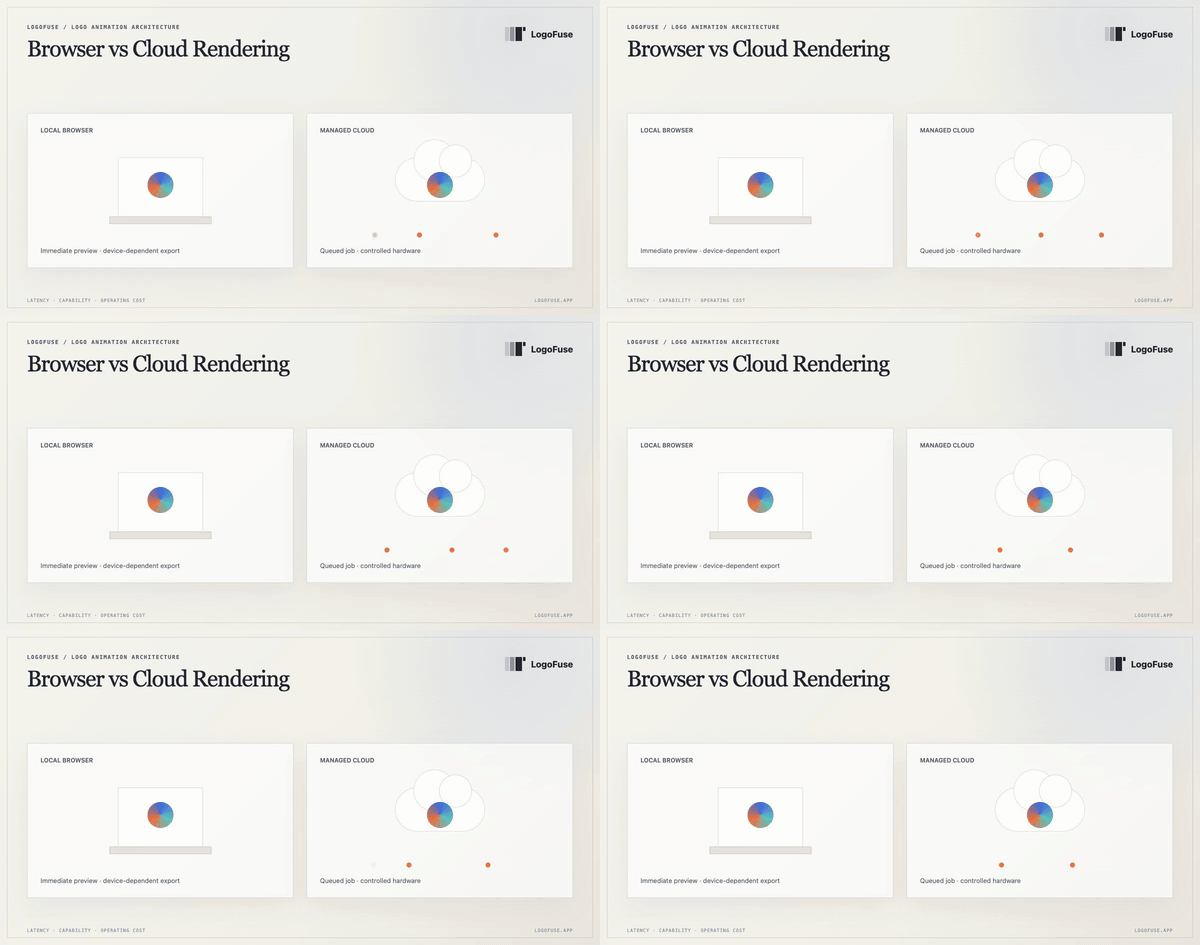
The architecture tradeoff: immediate device-side work versus a managed, queued render environment.
What is the difference between browser and cloud rendering?
The difference is where the frame calculation and video encoding happen. A browser renderer keeps the interactive project and frame workload on the user's device. A cloud renderer uploads assets and settings, creates a job, assigns compute, writes the output to storage, and returns a download location.
| Factor | Browser rendering | Cloud rendering |
|---|---|---|
| Start time | Usually immediate | Upload and queue may add delay |
| Hardware | Varies by user device | Controlled by the service |
| Tab dependency | Export normally needs the page to remain active | Job can continue after the page closes |
| Consistency | Depends on browser and codecs | More predictable runtime and codec stack |
| Operating cost | User device supplies most compute | Provider pays for compute, queue, storage, and delivery |
| Asset movement | Source can remain local for rendering | Assets must be transferred to the service |
What is browser rendering best at?
Browser rendering is strong for interactive previews and short deterministic animations. Parameter changes can appear immediately because the project is already running on the user's device. There is no remote job to create and no need to upload every intermediate frame.
WebGL allows compatible browsers to use hardware-accelerated graphics in a canvas. Browser media APIs such as MediaRecorder and WebCodecs expose different paths for recording or working with encoded media, subject to user-agent support.
For a focused logo animation lasting a few seconds, local rendering can make free previews and lower-resolution exports economically practical because the service does not need to run a video worker for every change.
What are the limits of local rendering?
The product does not control the hardware. Two users can open the same project on devices with different GPU texture limits, available memory, H.264 encoders, thermal limits, or power-management behavior. Mobile browsers may suspend a background tab, while older devices may fail at a frame size that a modern desktop handles easily.
A responsible local renderer therefore needs to:
- detect capabilities before expensive work;
- provide safe resolution fallbacks;
- keep the tab active during export;
- explain failures in plain language;
- avoid permanently charging for a file that was not delivered;
- keep project settings deterministic so a failed job can be retried.
Local rendering also does not mean the entire product is offline. Authentication, paid export authorization, allowance settlement, analytics, or support may still contact a server. The precise claim should be that the source frames and encoding workload stay on the device, not that the application never uses a network.
What is cloud rendering best at?
Cloud rendering is useful when every user needs the same codec, hardware profile, font environment, and output quality. It can process long videos, batch jobs, or demanding files without relying on the user's device. A job can continue after the browser closes, and failed tasks can be retried on another worker.
The tradeoff is a larger production system: asset upload, authorization, queueing, workers, retries, temporary storage, delivery URLs, cleanup, usage accounting, observability, and abuse protection. AWS's MediaConvert documentation is one example of a managed file-based video processing service and illustrates how much infrastructure sits behind “render in the cloud.”
Cloud rendering is not automatically faster. A short animation may spend more time uploading and waiting for a worker than a capable browser spends rendering it locally.
Does browser rendering improve privacy?
It can reduce the amount of source media sent to a rendering service, but privacy depends on the implementation and its disclosures. A local renderer can keep an uploaded logo and generated frames in browser memory while still contacting account services for access control.
Before using any tool with confidential brand assets, verify:
- whether the source file is uploaded for rendering;
- whether project data is stored remotely;
- how long generated files or logs are retained;
- which account and analytics requests occur;
- whether the final download is produced locally or delivered from storage.
LogoFuse processes the logo used by its Logo Motion workflow in the browser and renders the final frames locally. Account-related requests are separate from the visual frame pipeline.
Which rendering model does LogoFuse use?
LogoFuse currently renders its primary Logo Motion, 3D, and Flash video workloads in the browser. Account services authorize gated export tiers and track allowances; the frame rendering and video encoding stay on the user device.
This architecture makes immediate preview and free 720p Logo Motion output possible. It also means higher-resolution exports depend on a capable browser and device. LogoFuse does not currently present cloud rendering as an available fallback, so the export guide recommends testing 720p or 1080p before attempting 4K.
When should a product use a hybrid approach?
A hybrid model is justified when local preview remains valuable but some exports consistently exceed device capability. Practical triggers include:
- a measurable rate of local failures on supported devices;
- long or batch jobs that should continue in the background;
- strict codec, font, or color consistency requirements;
- team workflows that need server-side project storage;
- large files that must be generated once and distributed many times.
Do not add cloud rendering only because it sounds more professional. Add it when the reduction in user failure and support cost is worth the infrastructure, privacy, and operating complexity.
Which model should a user choose?
For a short LogoFuse animation, start locally: preview the effect, export 720p or 1080p, and verify the file in the destination. Choose 4K only when the delivery requires it and the device passes capability checks.
For a long, unattended, batch, or tightly standardized video job, a cloud service is usually a better fit. The workload—not the marketing label—should determine the architecture.
Related LogoFuse guides
- How shader logo animation works in the browser
- Logo animation export guide: formats and device limits
- How to use LogoFuse from upload to export
Review the current LogoFuse export plans, then test the Logo Motion maker on the device that will produce the final file.