LogoMotion Alternatives in 2026: 6 Tools for Animated Logo Videos
Looking for a LogoMotion (logomotion.design) alternative? We compare LogoFuse, Canva, Renderforest, FlexClip, Jitter, and Kapwing on free exports, watermarks, vertical video, and price. Checked November 2026.
 LogoFuse Team
Short answer: if you like LogoMotion’s vertical, multi-scene logo videos but want a watermark-free free export without an account, or a one-time payment instead of a subscription, LogoFuse is the closest alternative. If you need horizontal or square formats and a large template library, try Canva or Renderforest. If you want to design the motion yourself, use Jitter.
Key takeaways
- LogoMotion is good at one thing: vertical logo videos in two styles (Logo Match Cut and 3D Pulse), rendered in your browser.
- As of November 2026 its free export is 720p, and Full HD, Pulse, custom audio, and cloud projects need Pro at $12.99 a month. There is no public pricing page or one-time option.
- LogoFuse covers the same vertical use case, adds a shader editor, and has a $7.99 one-time pack. It is also a small, young product with a narrow template set.
- Canva, Renderforest, FlexClip, Jitter, and Kapwing offer more formats and templates. Every one except Canva (free elements only) watermarks free exports.
We make LogoFuse. This page compares it with LogoMotion and other tools using facts checked on each company’s own site on November 3, 2026. Where LogoFuse is weaker, we say so.
What LogoMotion does well
- It is fast. The homepage promise is "Bring your logo to life in one click": upload a logo, pick a style, export a vertical video.
- Two distinctive styles. Logo Match Cut cuts your logo across a series of scenes. Pulse is a beat-synced 3D animation.
- Your files stay on your device. LogoMotion’s privacy policy says logos, custom frames, and exported videos are processed in the browser and are not uploaded, stored, or retained on its servers.
- An established user base. The homepage says it is "Trusted by 24,000 users worldwide".
- A refund window. Its terms let you request a refund within 7 days of your first purchase.
Why people look for an alternative
These are the practical limits we found on LogoMotion’s own site and in its editor in November 2026:
- Full HD needs a subscription. The upgrade dialog lists Pro at $12.99 a month for Full HD (1080p), 40 Full HD cloud renders a month, cloud projects, custom audio, and video frames. Free exports are 720×1280.
- Pulse is a Pro feature. The editor shows "Join Pro to access Pulse" when Pulse is locked.
- No public pricing page or one-time purchase. logomotion.design/pricing does not exist, and the upgrade dialog only offers the monthly Pro plan.
- Vertical only, two styles. That is ideal for TikTok and Reels, but not for a 16:9 YouTube intro or a square social post.
LogoMotion alternatives at a glance
| Tool | Closest LogoMotion feature | Free export | Watermark on free | Paid from (USD) | Vertical 9:16 |
|---|---|---|---|---|---|
| LogoMotion | — | 720p | Not stated | Pro $12.99/mo | Yes |
| LogoFuse | Flash multi-scene cuts; 3D Pulse | 720p, no account; 1080p Logo Motion and 3D after sign-in | No | $7.99 once; $12.99/mo | Yes (only 9:16) |
| Canva | Animated logo templates | MP4 at default 1080p | Only on premium elements | $12/mo billed yearly, $18 monthly | Not documented for logo animation |
| Renderforest | Logo reveal templates | HD 720 | Yes | $9/mo billed annually (720p); $24 single HD1080 export | One portrait template |
| FlexClip | Logo intro templates | 720p | Yes | $11.99/mo billed annually | Yes |
| Jitter | Logo reveal templates you can re-time | 720p, 30fps | Yes | $15/editor/mo billed annually | Some templates |
| Kapwing | AI motion from your logo | 720p | Yes (pricing page) | $16/mo billed annually | Yes |
LogoMotion’s price and free tier come from its editor’s upgrade dialog because it has no public pricing page. Other prices come from each vendor’s pricing page as seen by a logged-out US visitor.
1. LogoFuse: the closest match for vertical logo videos
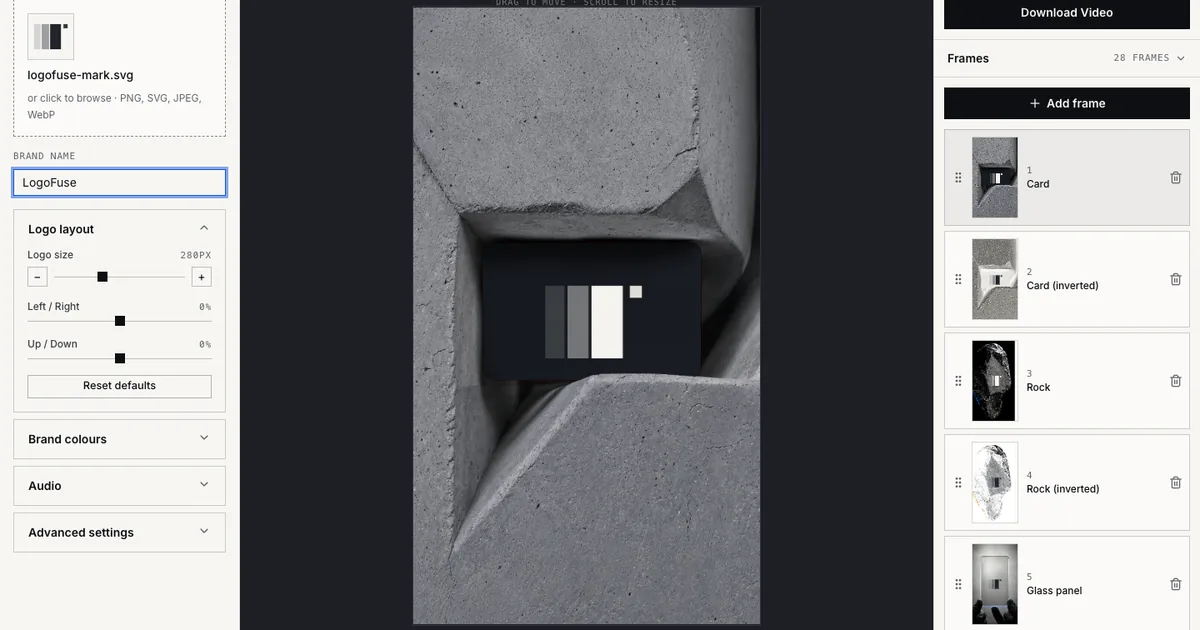
LogoFuse runs in the browser and is built around the same 9:16 format. Its Flash editor places your logo across 28 editable brand, product, material, and device scenes, which is the nearest equivalent to Logo Match Cut. 3D Pulse produces a 9:16 3D logo sequence. The Logo Motion editor, which LogoMotion does not have, applies 12 shader presets such as liquid metal, glow, and smoke to a single continuous logo reveal.
- What you get free: 720p export with no account and no watermark, 1080p Logo Motion and 3D export after sign-in, custom audio upload, and image uploads for Flash frames. Rendering happens in your browser.
- What costs money: 4K, plus Flash exports at 1080p or 4K and the licensed video frames. Pay $7.99 once for 5 Premium Exports that never expire, or $12.99 a month for 40 (pricing).
- Where it is weaker than LogoMotion:
- LogoFuse is newer and smaller.
- It has no cloud projects; project files are saved on your device.
- 4K depends on your browser and GPU.
- Like LogoMotion, it only makes vertical video.
2. Canva: templates in many formats
Choose Canva when you need more than vertical video. You start from an animated logo template or a blank design, upload your logo, and apply effects like Rise, Pop, or Breathe. Canva Free downloads MP4 at the default 1080p with no watermark unless you use premium elements. Canva Pro is US$12 a month billed yearly or US$18 monthly (pricing). You need a Canva account, and the animated logo pages do not document a 9:16 logo export.
3. Renderforest: classic logo reveals
Renderforest is a good fit if you want a cinematic horizontal logo intro rather than a social cut. It inserts your logo into fixed-length reveal templates. Free exports are HD 720 with a watermark and need an account. Lite costs $9 a month billed annually (720p), Pro costs $19 a month billed annually (1080p, no watermark), and a single HD1080 export without a watermark costs $24 (subscription page).
4. FlexClip: a general editor with logo intros
FlexClip adds a full timeline, AI generation, and 9:16, 1:1, 4:5, and 16:9 output to logo intro templates. Free exports are 720p with a watermark and require login; Plus costs US$11.99 a month billed annually or US$19.99 monthly (pricing).
5. Jitter: design the motion yourself
Jitter is for people who want to time and shape the animation instead of choosing a finished style. It has animated logo templates, SVG import, and a timeline. Free exports are 720p at 30fps with a watermark. Pro costs $15 per editor a month billed annually, and transparent exports need the Max plan (pricing).
6. Kapwing: describe the animation with AI
Kapwing’s animated logo maker animates an uploaded logo from a text prompt and can resize the result to 9:16. Free exports are 720p, and Kapwing’s pricing page says they are watermarked. The free plan’s 10 lifetime credits may not cover one AI video, which Kapwing says costs "20+ credits". Pro costs $16 a month billed annually (pricing).
Which alternative should you choose?
- Same vertical match-cut idea, no subscription: LogoFuse Flash editor with a $7.99 pack, or free 720p.
- A continuous logo reveal rather than scene cuts: LogoFuse Logo Motion.
- Horizontal or square formats from templates: Canva or Renderforest.
- Full creative control: Jitter.
- Motion described in words: Kapwing.
For a broader list, including Adobe Express, Placeit, and Animaker, see the best free logo animation makers.
LogoMotion is a trademark of its owner. LogoFuse is not affiliated with or endorsed by LogoMotion. Facts were checked on November 3, 2026 and are re-checked quarterly.
Frequently asked questions
What is LogoMotion?
LogoMotion (logomotion.design) is a browser tool that turns an uploaded logo into a vertical brand video. It offers two styles: Logo Match Cut, which places the logo in a fast sequence of scenes, and Pulse, a beat-synced 3D logo animation. Its privacy policy says logo files are processed in the browser and not uploaded to its servers.
Is LogoMotion free?
Partly. As shown in its editor in November 2026, LogoMotion offers a free 720p export, while Full HD export, 4K, Pulse, custom audio, video frames, and cloud projects require Pro at $12.99 a month. LogoMotion has no public pricing page; the price appears in the editor’s upgrade dialog.
What is the closest alternative to LogoMotion?
LogoFuse is the closest in format: it also makes vertical 9:16 logo videos in the browser, with a Flash editor for fast multi-scene cuts and a 3D Pulse editor. It adds a shader-based Logo Motion editor, exports 720p with no account and no watermark, and sells a one-time pack. We make LogoFuse, so compare the facts in the table yourself.
Is there a LogoMotion alternative without a subscription?
Yes. LogoFuse sells a one-time Project Pack at $7.99 for 5 Premium Exports that never expire, and its free plan includes 720p without an account plus 1080p Logo Motion and 3D exports after sign-in. Renderforest sells a single watermark-free HD1080 export for $24.
Is LogoFuse affiliated with LogoMotion?
No. LogoFuse and LogoMotion are separate products made by different teams. LogoMotion is a trademark of its owner, and this page is not endorsed by it.